
We are incredibly excited to share the latest set of improvements to Tunearo. Our team has spent a long time thinking through every stage of the artist journey—from preparing a release and resolving a problem to creating the visuals that help music stand out.
We did not want to add technology for the sake of it. Each feature began with a practical question: where do artists lose time, where can instructions feel unclear, and which creative tasks should be easier? We then designed and tested every step with simplicity in mind.
The result is a more connected Tunearo experience. Here is what is now available.
- Catch common metadata problems before a release reaches quality control
- Get account-aware answers and guided help from Tuney AI Support
- Create visual content for releases with Tunearo Studio at no extra cost
1. Tuney AI Metadata Checks
Release metadata has to meet detailed store requirements. A small inconsistency—such as a missing version label, an incorrectly formatted artist role or information that does not match the artwork—can cause a release to be returned during quality control.
Now, when you submit a release, Tuney AI performs a quick review of the metadata you have entered. It looks for likely issues while the information is still easy to correct, rather than leaving you to discover them after submission.
If Tuney flags something, it does more than display a generic warning. It explains what may be wrong, suggests how to correct it and directs you to the exact field that needs attention. You remain in control of the information and can review every suggested change before continuing.
By surfacing common issues earlier, Tuney can help reduce avoidable returns, cut down the time spent searching for a problem and create a smoother path from draft to delivery. It also gives our quality-control team more time to focus on rights, audio and the cases that genuinely need human attention.
Tuney’s metadata check is designed to help you prepare a stronger submission. It does not replace Tunearo’s human quality-control process, and a successful check does not guarantee store acceptance.
2. Tuney AI Support
Getting help should not mean searching through pages of general information before finding an answer that applies to your account. Tuney AI Support is now available through the Help button in the bottom-right corner of the Tunearo dashboard.
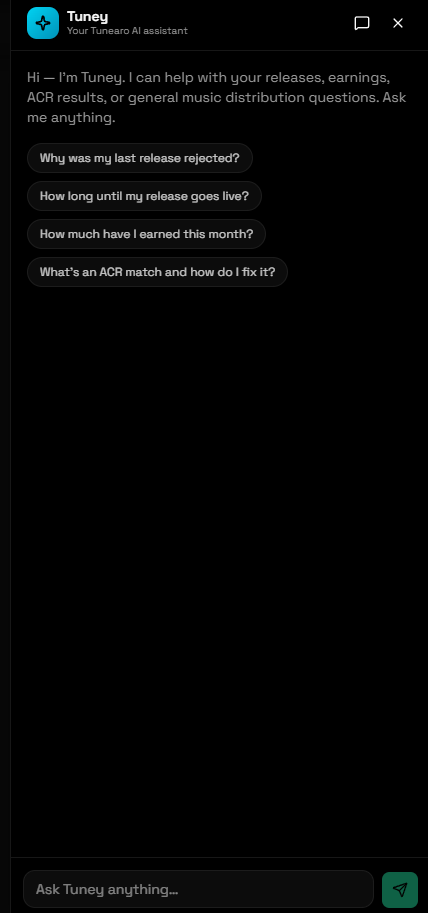
Tuney can use the context available within your account to provide more relevant assistance. You can ask questions such as why a release was rejected, how long a release may take to go live, what an ACR match means or where to find current earnings information.
For supported tasks, Tuney can guide you through the next step and perform certain account actions after you ask. This helps remove unnecessary back-and-forth for straightforward requests while keeping the experience inside the dashboard.
AI should not become a wall between you and the team. When a situation needs judgement, sensitive handling or deeper investigation, Tuney can escalate the conversation to a human support specialist. The goal is to provide faster first-line help without losing the personal support artists need.
3. Tunearo Studio
Releasing a track is only part of the work. Artists also need cover art, thumbnails, lyric content and videos that can carry a release across streaming and social platforms. Tunearo Studio brings those creative tools together in one workspace—and it is included free with every Tunearo account.
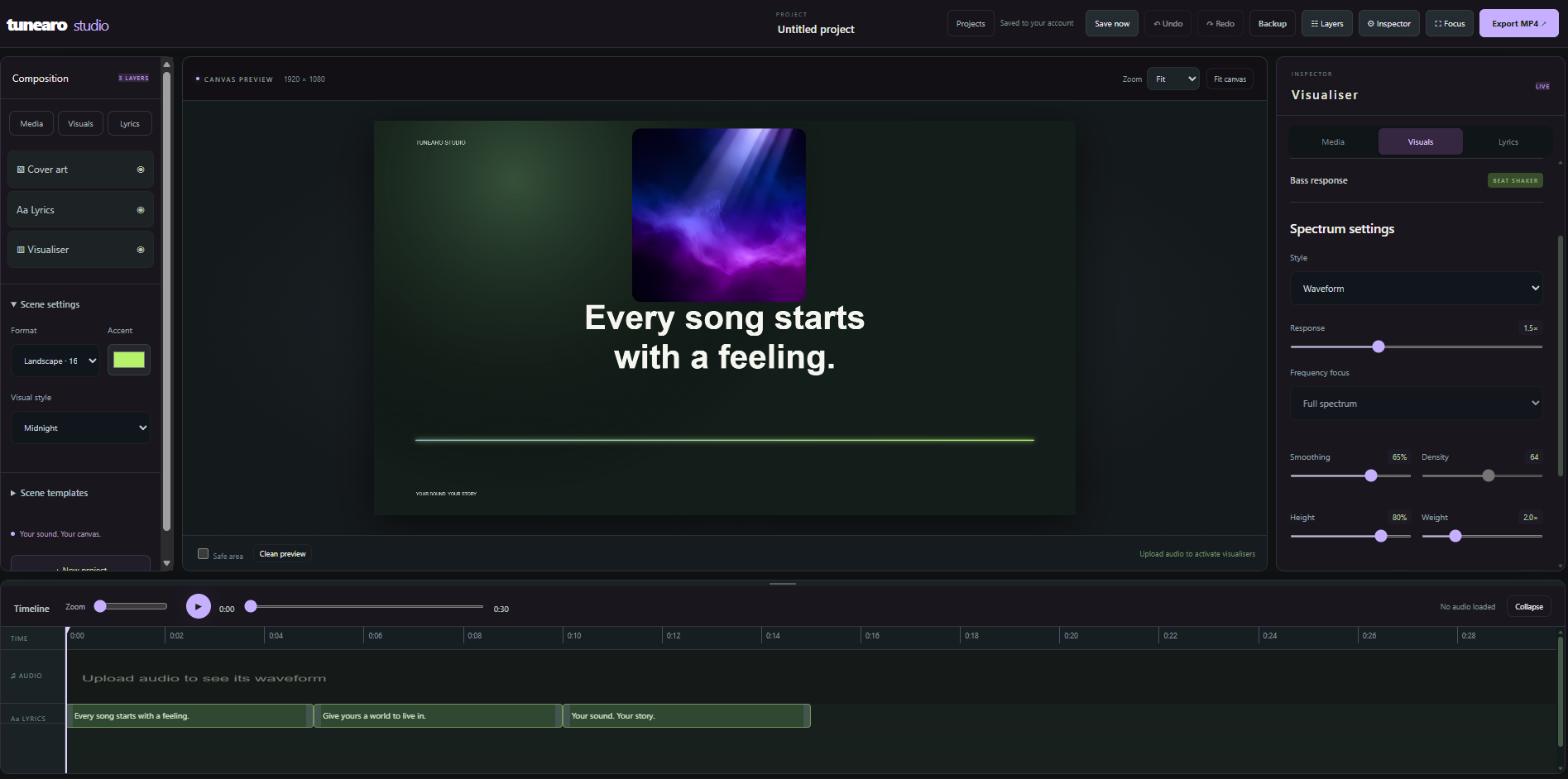
With Tunearo Studio, you can create lyric visualisers, build music videos and generate images for everything from release artwork to video thumbnails. The editor brings together your media, text, visual effects and timeline so that you can shape a complete piece of content without jumping between several disconnected tools.
You can start with a simple project, choose a format that suits the destination, style the scene, add lyrics and adjust the visualiser response. More experienced creators can work with layers and use the inspector controls to fine-tune the finished result before export.
Studio is still in beta, which means we are actively improving it. You may see features evolve as we learn how artists use the editor in real projects. We welcome honest feedback—good or bad—because specific feedback helps us decide what to refine and what to build next.
One account, more of the release journey
These updates share the same purpose: helping artists spend less time untangling process and more time making, releasing and promoting music. Tuney AI Metadata Checks helps you prepare stronger submissions. Tuney AI Support makes account help more immediate. Tunearo Studio extends the workflow beyond distribution and into visual creation.
This is an important step for Tunearo, but it is not the final one. We will continue listening to artists and labels, reviewing real usage and improving each feature. If something works brilliantly, tell us. If something is confusing or gets in your way, we want to hear that too.
Explore the latest updates.
Open the dashboard to prepare your next release, ask Tuney for help and start creating with Tunearo Studio.
Open TunearoTuney AI features provide automated assistance and may occasionally make mistakes. Review important release information before submission. Feature availability and capabilities may change while Tunearo Studio remains in beta.